
User's Guide



Table Of Contents
- Table of contents for the KODAK EASYSHARE TOUCH Camera / M5370
- Getting started with your camera
- Product overview, features
- Doing more with your camera
- Solving camera problems
- Appendix
12 www.kodak.com/go/support
ENGLISH
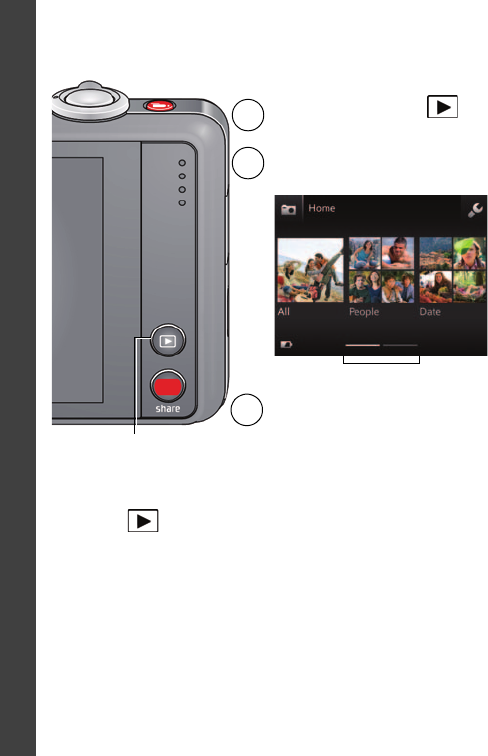
Reviewing pictures/videos
You can review the most recent picture/video by:
• Tapping the thumbnail (bottom left of LCD) in Liveview, or
•
Review
during Quickview, while reviewing a new picture/videoPressing
Press the Review button
to enter Review.
1
2
Tap All, People, Date, Keywords, or
Videos.
If you chose People, Date, or Keywords,
tap a name, date, or keyword.
3
Paging bar
urg_01281.book Page 12 Thursday, May 12, 2011 9:56 AM