
User's Guide Digital Camera C530, C315, CD50




Table Of Contents
- Front cover
- Product features
- Table of contents
- 1Setting up your camera
- 2Taking pictures and videos
- 3Transferring and printing pictures
- Installing the software
- Transferring pictures with the USB cable
- Printing pictures
- Dock compatibility for your camera
- 4Doing more with your camera
- Using the self-timer
- Running a slide show
- Copying pictures and videos
- Choosing a flash setting
- Changing picture-taking settings
- Customizing your camera
- Viewing picture/video information
- Pre-tagging for album names
- Sharing your pictures
- 5Troubleshooting
- 6Getting help
- 7Appendix
- Index
Doing more with your camera
www.kodak.com/go/support
35
4 To remove a selection, highlight a checked address and press the OK button. To
remove all email selections, highlight Clear All.
5 Highlight Exit, then press the OK button.
Your selections are saved. The Email icon appears in the status area.
6 Press the Share button to exit.
Third—transfer and email
When you transfer the tagged pictures/videos to your computer, the Email screen
opens and lets you send them to the addresses you specified. For details, click the
Help button in the Kodak EasyShare software.
Tagging pictures as favorites
You can preserve your favorite pictures in the Favorites section of your camera’s
internal memory, then share them with friends and family.
NOTE: When you transfer pictures from your camera to your computer, all pictures (including favorites) are
stored on your computer at full size. Favorite pictures—smaller copies of your originals—are loaded
back to your camera, so you can share and enjoy more.
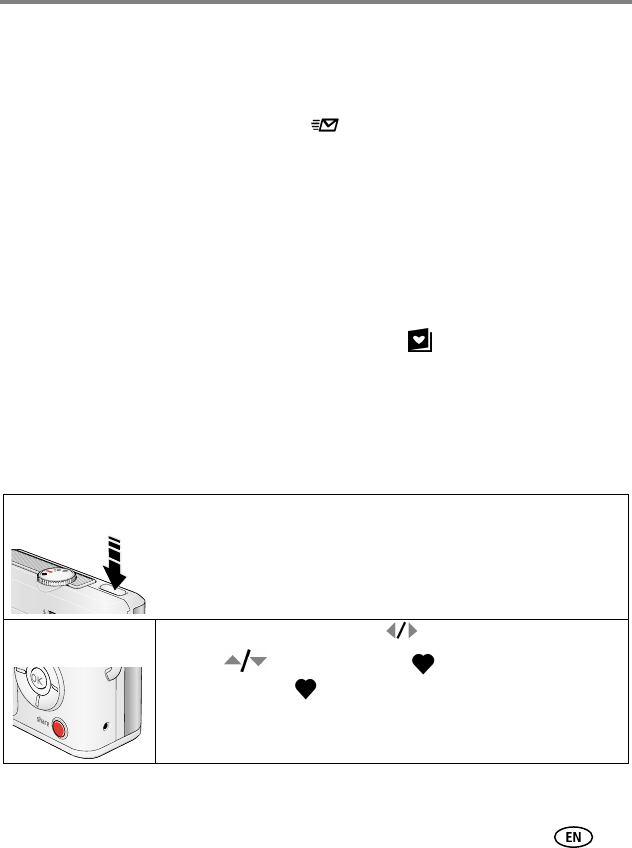
Share your favorite pictures in 4 easy steps:
1. Take pictures
2. Tag pictures as
favorites
1 Press the Share button. Press to locate a picture.
2 Press to highlight Favorite , then press the OK button.
The Favorite icon appears in the status area. To remove the tag,
press the OK button again.
Press the Share button to exit the menu.