
Quick start guide


8 3RD DIMENSION BBD-320 Quick Start Guide 9
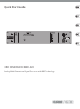
3rd Dimension BBD-320 Controls
(EN)
Step 2: Controls
(1) BYPASS – Press this button to connect the
input signal directly to the outputs.
(2) REMOTE – Connect a footswitch via ¼"
TS cable to remotely toggle between the
selected chorus mode and the OFF state. The
red LED will light when the eect is engaged.
(3) DIMENSION MODE – Select the intensity
of the chorus eect, with 1 being subtle
and 4 being the most intense. The eect is
disengaged in the OFF setting.
(4) OUTPUT LEVEL – Displays the overall
output level.
(5) POWER – Turn the unit on and o with
this switch. The jewel LED will light when
powered on.
(6) OUTPUTS – Send the processed signal
to other equipment via balanced XLR or
¼" TRS cables.
(7) INPUTS – Connect incoming signals to the
unit via balanced XLR or ¼" TRS cable.
(8) MODE – Set to STEREO if using stereo inputs.
Set to MONO to allow the left input to send
the signal to both chorus channels.
(6)
(8)
(7)
(1)
(3) (4) (5)(2)