
Box Type Network Camera Instructions

66
Operation
Built-in Viewer Settings
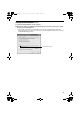
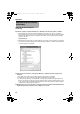
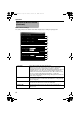
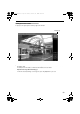
The setting window of the built-in viewer will be displayed upon clicking the [Setup] button.
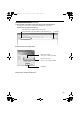
Operation of Built-in Viewer
(continued)
K
J
I
H
D
E
C
B
A
F
L
M
G
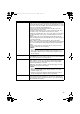
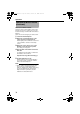
A Turn Over Select AOnB to display the image upside down.
When this is set to AOnB, inversion processes that are applied may
increase the load on the computer.If the computer's capacity is
inadequate, therefore, the frame rate will deteriorate during transmission
via TCP and noise occurs due to losses during packet reception via
multicast.To use this feature with inversion set to AOnB, make sure that
you use a computer with adequate performance, or reduce the
processing load by adjusting the [Encoding] settings (file size, frame rate,
frame size). (A Page 34)
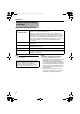
B Title Select AOnB to display the camera ID.
The camera ID can be set either at the VN-C20 unit or on the [Camera]
page. (A Page 32)
C Time Select AOnB to display the time.
This indicates the time that is stored in the JPEG data.
D Display MD Selecting AOnB displays the area for which motion is detected in a
different color.
VN-C20_EN.book Page 66 Tuesday, February 14, 2006 10:51 AM