
Compact Component System Instruction Manual

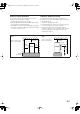
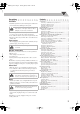
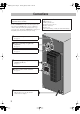
Table Of Contents
- Connections
- Display Indication
- Daily Operations—Playback
- Daily Operations—Sound & Other Adjustments
- Adjusting the Speaker Output Balance
- Reinforcing the Bass Sound
- Applying an Optimal Bass Sound Effect —VARIO BASS
- Selecting the Sound Modes
- Creating Your Own Sound Modes —User Mode
- Creating 3-Dimensional Sound Field—3D Phonic
- Presetting Automatic DVD Video Sound Increase Level
- Changingthe Picture Tone
- Changing the Display Brightness
- Setting the Clock
- Unique Video Disc/File Operations
- Advanced Playback Operations
- On-Screen Operations
- Recording Operations
- Enjoying Karaoke
- Timer Operations
- Setup Menu Operations
- Operating the TV
- Additional Information
- Parts Index
G-4
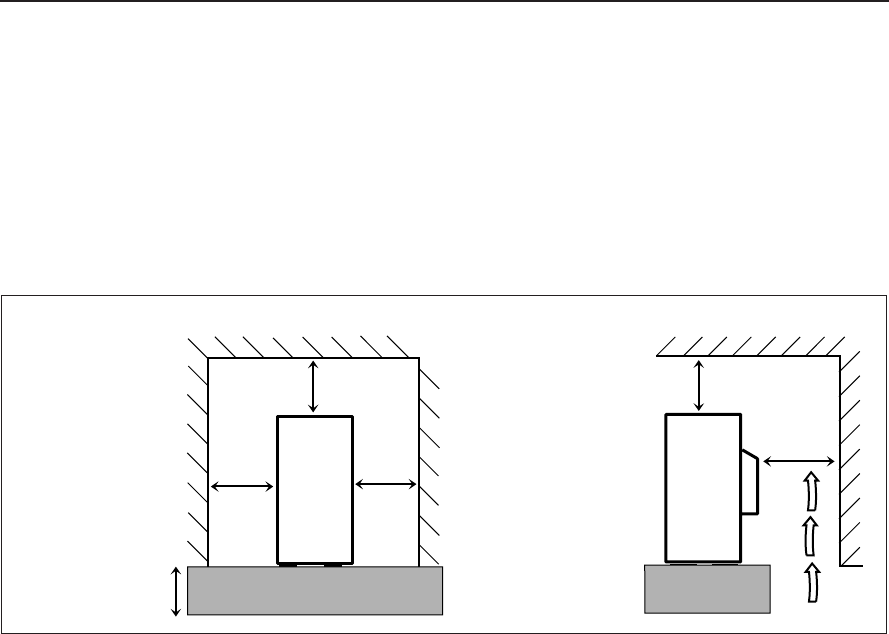
Caution: Proper Ventilation
To avoid risk of electric shock and fire, and to prevent
damage, locate the apparatus as follows:
1. Front:No obstructions and open spacing.
2. Sides/Top/Back:No obstructions should be placed in the
areas shown by the dimensions below.
3. Bottom:Place on the level surface. Maintain an adequate
air path for ventilation by placing on a stand with a height
of 10 cm (3-15/16
”
) or more.
Attention: Aération correcte
Pour prévenir tout risque de décharge électrique ou
d’incendie et éviter toute détérioration, installez l’appareil
de la maniére suivante:
1. Avant: Bien dégagé de tout objet.
2. Côtés/dessus/dessous: Assurez-vous que rien ne bloque
les espaces indiqués sur le schéma ci-dessous.
3. Dessous: Posez l’appareil sur une surface plane et
horizontale. Veillez à ce que sa ventilation correcte puisse
se faire en le plaçant sur un support d’au moins dix
centimétres de hauteur.
15 cm
10 cm
10 cm
10 cm
(3-15/16") (3-15/16")
(3-15/16")
(3-15/16")
(3-15/16")
(5-15/16")
10 cm
CA-DXJ21
CA-DXJ21
10 cm
Wall or obstructions
Mur, ou obstruction
Wall or obstructions
Mur, ou obstruction
Side
Côté
Front
Face
Safety_DX-J21[J_C].fm Page 4 Monday, April 6, 2009 11:54 AM