
Compact Component System Instruction Manual
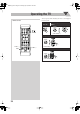


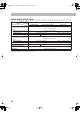
Table Of Contents
- Connections
- Display Indication
- Daily Operations—Playback
- Daily Operations—Sound & Other Adjustments
- Adjusting the Speaker Output Balance
- Reinforcing the Bass Sound
- Applying an Optimal Bass Sound Effect —VARIO BASS
- Selecting the Sound Modes
- Creating Your Own Sound Modes —User Mode
- Creating 3-Dimensional Sound Field—3D Phonic
- Presetting Automatic DVD Video Sound Increase Level
- Changingthe Picture Tone
- Changing the Display Brightness
- Setting the Clock
- Unique Video Disc/File Operations
- Advanced Playback Operations
- On-Screen Operations
- Recording Operations
- Enjoying Karaoke
- Timer Operations
- Setup Menu Operations
- Operating the TV
- Additional Information
- Parts Index
39
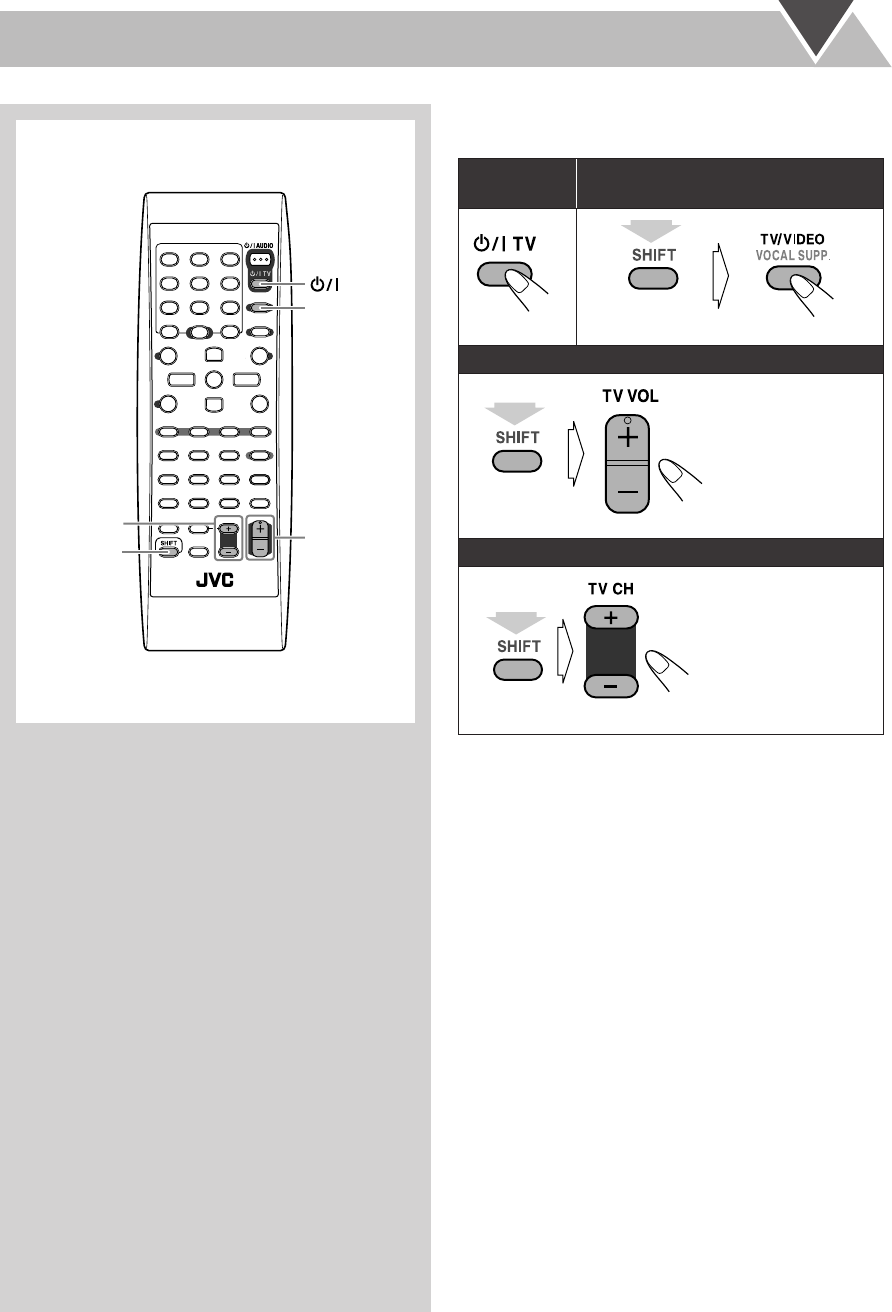
Operating the TV
You can operate JVC’s TV using the remote control supplied
for this System.
SHIFT
TV VOL +,–
TV/VIDEO
TV CH +,–
TV
Remote control
To turn on or
off the TV:
To select the input mode (either TV or
VIDEO):
To adjust TV volume:
To select the TV channel:
(while holding...)
(while holding...)
(while holding...)
DX-J21[J].book Page 39 Tuesday, April 8, 2008 11:32 AM