
Compact Component System Instruction Manual

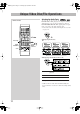
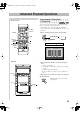
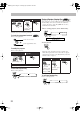

Table Of Contents
- Connections
- Display Indication
- Daily Operations—Playback
- Daily Operations—Sound & Other Adjustments
- Adjusting the Speaker Output Balance
- Reinforcing the Bass Sound
- Applying an Optimal Bass Sound Effect —VARIO BASS
- Selecting the Sound Modes
- Creating Your Own Sound Modes —User Mode
- Creating 3-Dimensional Sound Field—3D Phonic
- Presetting Automatic DVD Video Sound Increase Level
- Changingthe Picture Tone
- Changing the Display Brightness
- Setting the Clock
- Unique Video Disc/File Operations
- Advanced Playback Operations
- On-Screen Operations
- Recording Operations
- Enjoying Karaoke
- Timer Operations
- Setup Menu Operations
- Operating the TV
- Additional Information
- Parts Index
20
Advanced Playback Operations
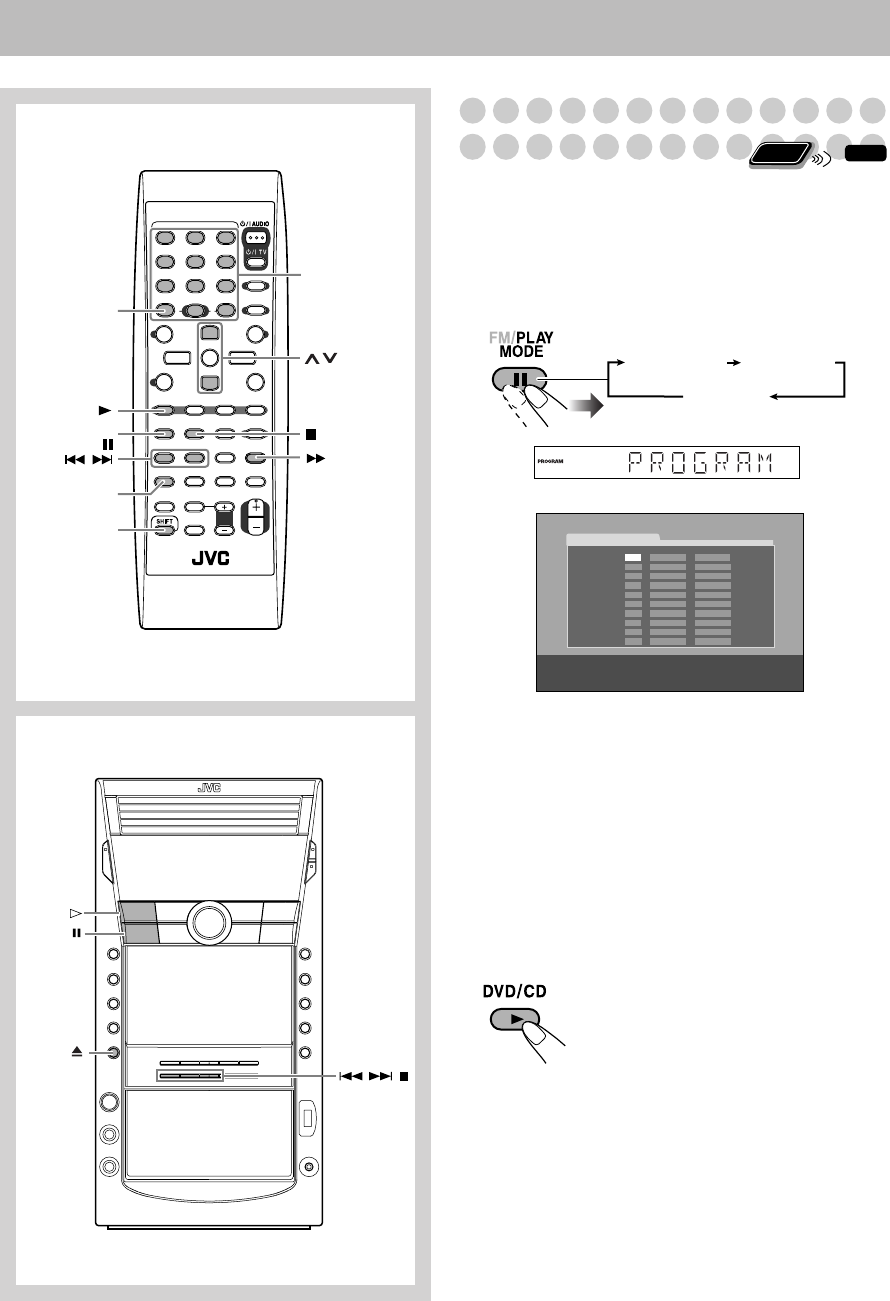
Programming the Playing Order
—Program Play
You can arrange the playing order of the chapters/tracks/
files (up to 99) before you start playback.
• Program Play cannot be used for files in a USB mass
storage class device, Video files/JPEG files on a disc and
DVD-VR.
1
Before starting playback, activate Program Play.
2
Select chapters/tracks/files you want for Program
Play.
1
Select a disc number.
2
For DVDs and Audio files only: Select a group/title
number.
3
Select a track/chapter number.
• To select a number, see “How to select a number” on
page 8.
3
Repeat step
2
above until you complete your program.
4
Start playback.
DISC 1
DVD/CD
,,
Main unit
Remote Control
SHIFT
REPEAT A-B,
REPEAT
FM/PLAY
MODE,
,
DVD/CD
CANCEL
,
Number
buttons
Playback starts in the order you have
programmed.
Remote
ONLY
INFO
USE NUMERIC KEYS TO PROGRAM TRACKS.
USE CANCEL TO DELETE THE PROGRAM.
PROGRAM
No Group/TitleDisc Track/Chapter
1
2
3
4
5
6
7
8
9
10
PROGRAM RANDOM
Canceled
On the display
On the TV screen
DX-J21[J].book Page 20 Tuesday, April 8, 2008 11:32 AM