
Compact Component System Instruction Manual

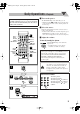
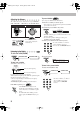
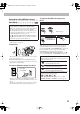

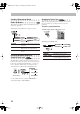
Table Of Contents
- Connections
- Display Indication
- Daily Operations—Playback
- Daily Operations—Sound & Other Adjustments
- Adjusting the Speaker Output Balance
- Reinforcing the Bass Sound
- Applying an Optimal Bass Sound Effect —VARIO BASS
- Selecting the Sound Modes
- Creating Your Own Sound Modes —User Mode
- Creating 3-Dimensional Sound Field—3D Phonic
- Presetting Automatic DVD Video Sound Increase Level
- Changingthe Picture Tone
- Changing the Display Brightness
- Setting the Clock
- Unique Video Disc/File Operations
- Advanced Playback Operations
- On-Screen Operations
- Recording Operations
- Enjoying Karaoke
- Timer Operations
- Setup Menu Operations
- Operating the TV
- Additional Information
- Parts Index
15
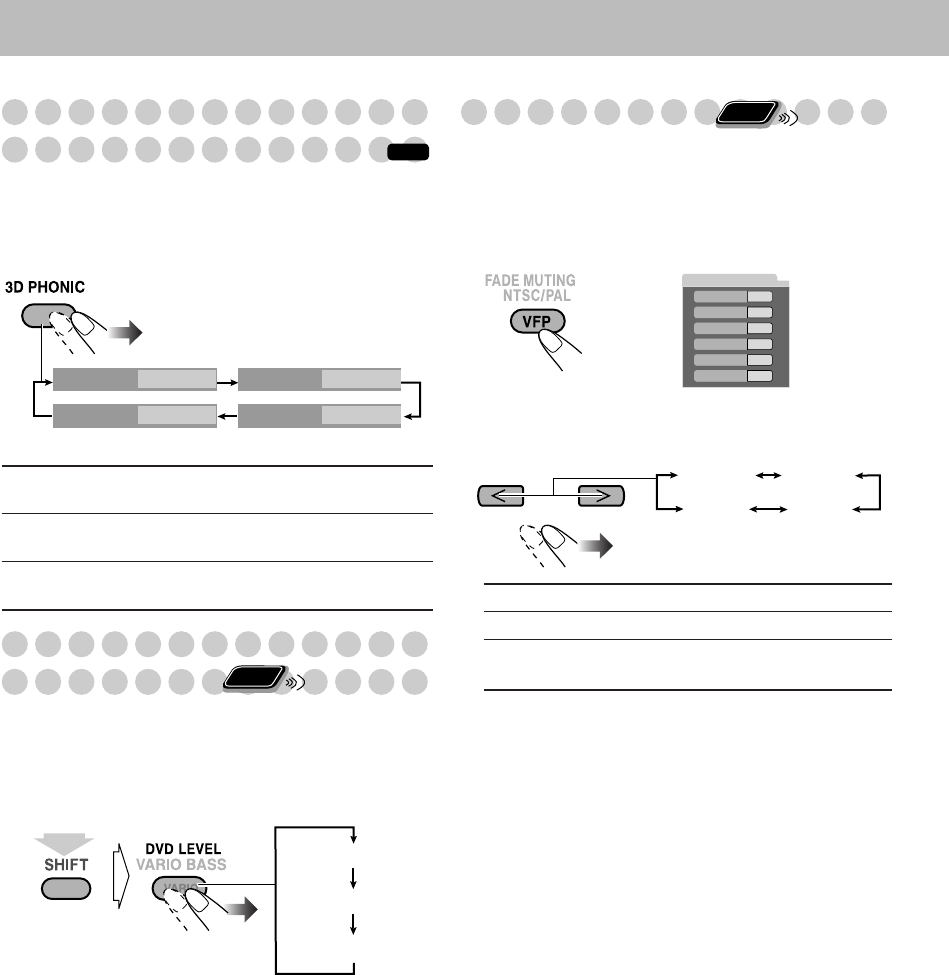
Creating 3-Dimensional Sound
Field—3D Phonic
This function is available only for disc/USB mass storage
class device playback.
While playing a disc/USB mass storage class device...
Presetting Automatic DVD Video
Sound Increase Level
The DVD Video sound is sometimes recorded at a lower
level than other discs and sources. You can set the increase
level for the currently loaded DVD Video, so you do not
have to adjust the volume when you change the source.
• This function is available only for DVD Video discs.
• As the number increases, sound level also increases.
• The initial setting is “DVD LEVEL3.”
Changing
the Picture Tone
While viewing a playback picture on the TV, you can select
the preset picture tone, or adjust it and store your own
preference.
To select a preset picture tone
1
While playing, display VFP setting screen.
2
Select a preset picture tone.
ACTION
Suitable for action movies and sports
programs.
DRAMA
Creates natural and warm sound.
Enjoy movies in a relaxed mood.
THEATER
Enjoy sound effects like in a major
theater.
INFO
3D PHONIC
ACTION
3D PHONIC
DRAMA
3D PHONIC
THEATER
3D PHONIC
OFF
On the TV screen
Remote
ONLY
DVD LEVEL1
DVD LEVEL2
DVD LEVEL3
(while holding...)
NORMAL
Normally select this.
CINEMA
Suitable for a movie source.
USER1/USER2
You can adjust parameters and can
store the settings (see page 16).
Remote
ONLY
NORMAL
GAMMA
BRIGHTNESS
CONTRAST
SATURATION
TINT
SHARPNESS
0
0
0
0
0
0
On the TV screen
NORMAL CINEMA
USER2 USER1
DX-J21[J].book Page 15 Tuesday, April 8, 2008 11:32 AM