
Compact Component System Instruction Manual
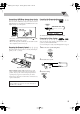

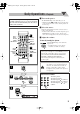
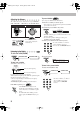
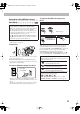
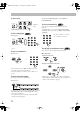
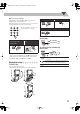
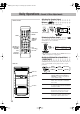

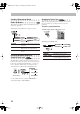
Table Of Contents
- Connections
- Display Indication
- Daily Operations—Playback
- Daily Operations—Sound & Other Adjustments
- Adjusting the Speaker Output Balance
- Reinforcing the Bass Sound
- Applying an Optimal Bass Sound Effect —VARIO BASS
- Selecting the Sound Modes
- Creating Your Own Sound Modes —User Mode
- Creating 3-Dimensional Sound Field—3D Phonic
- Presetting Automatic DVD Video Sound Increase Level
- Changingthe Picture Tone
- Changing the Display Brightness
- Setting the Clock
- Unique Video Disc/File Operations
- Advanced Playback Operations
- On-Screen Operations
- Recording Operations
- Enjoying Karaoke
- Timer Operations
- Setup Menu Operations
- Operating the TV
- Additional Information
- Parts Index
9
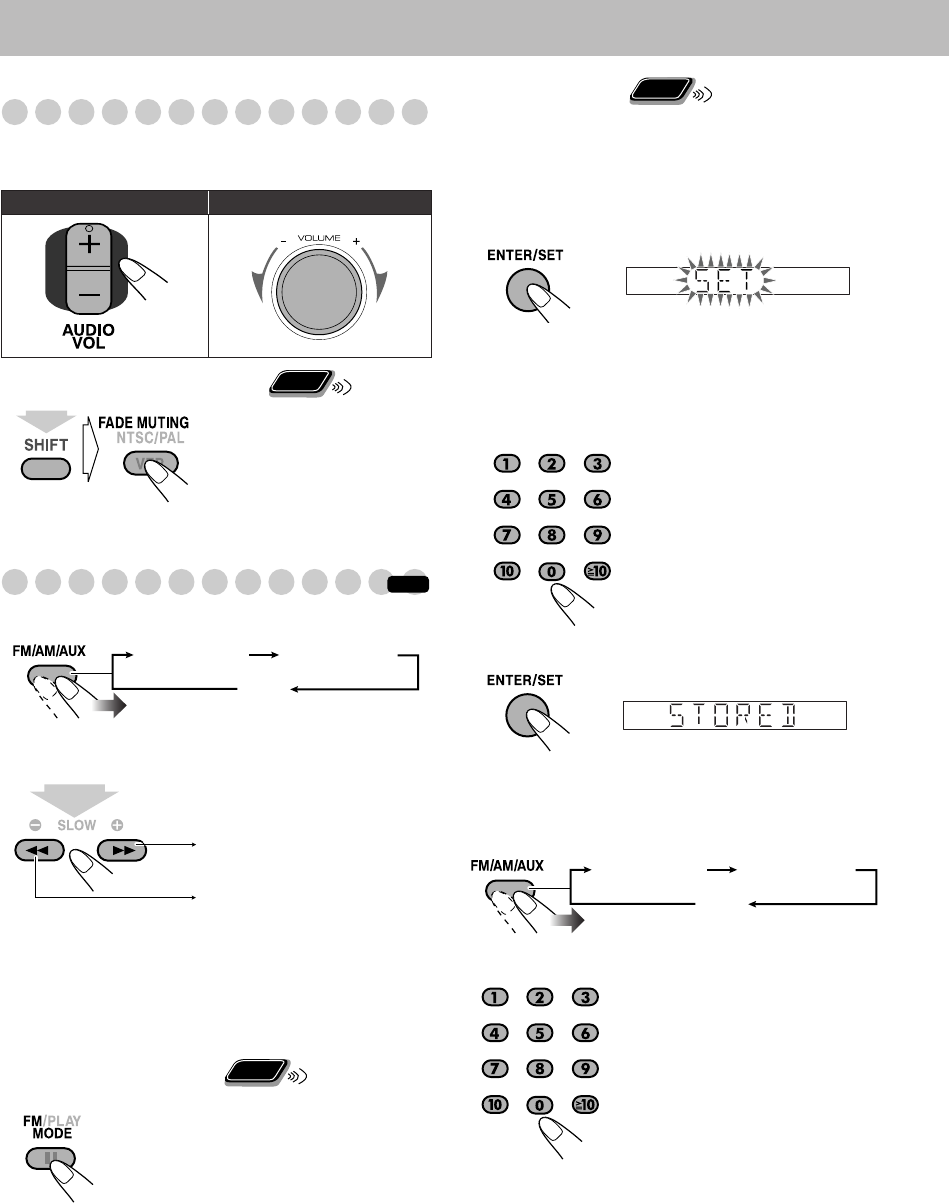
Adjusting the Volume
The volume level can be adjusted in 32 steps (VOLUME
MIN, VOLUME 1 – VOLUME 30, and VOLUME MAX).
To drop the volume in a moment
Listening to the Radio
To select the band (FM/AM)
To tune in to a station
While FM or AM is selected...
Frequency starts changing on the display.
When a station (frequency) with sufficient signal strength is
tuned in, the frequency search stops.
• When you repeatedly press the button, the frequency
changes step by step.
To manually stop the searching,
press either button.
If the FM reception is poor
To preset stations
You can preset 30 FM and 15 AM stations.
1
Tune in to a station you want to preset.
• You can also store the monaural reception mode for FM
preset stations if selected.
2
Activate the preset number entry mode.
• Finish the following process while the indication on the
display is flashing.
• To cancel the operation during procedure, press
CANCEL while holding SHIFT.
3
Select a preset number for the station you store.
4
Store the station.
To tune in to a preset station
1
Select the band (FM or AM).
2
Select the preset number for the station you stored.
Remote control: Main unit:
To restore the volume,
press again or adjust the
volume level.
The MONO indicator lights on the
display. Reception will improve though
stereo effect is lost—monaural reception
mode.
To restore the stereo effect,
press the
button again (the MONO indicator goes
off).
Remote
ONLY
(while holding...)
INFO
TUNER FM TUNER AM
AUX
1
sec.
Increases the frequency.
Decreases the frequency.
Remote
ONLY
• To select a number, see “How to
select a number” on page 8.
• You can also use ¢
/4
buttons.
• To select a number, see “How to
select a number” on page 8.
• You can also use ¢
/4
buttons.
Remote
ONLY
TUNER FM TUNER AM
AUX
DX-J21[J].book Page 9 Tuesday, April 8, 2008 11:32 AM