
Micro Component System Instruction Manual

9
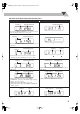
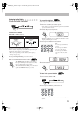
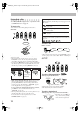
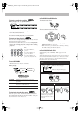
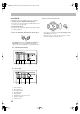
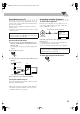
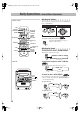
Indications on the main display while operating a disc
• If “RESUME” is “ON” (see page 38), “RESUME” appears when you stop playback (except for Audio CD and MP3/JPEG
discs).
While playing back a disc: While disc play is stopped:
• DVD Video:
• By pressing SHIFT+0 (DISPLAY), you can see the current
title and chapter numbers for a few seconds.
• DVD Video:
• DVD-VR:
• By pressing SHIFT+0 (DISPLAY), you can see the clock
indication.
• DVD-VR:
• DVD Audio:
• By pressing SHIFT+0 (DISPLAY), you can see the
current group and track numbers for a few seconds.
• DVD Audio:
• Audio CD/SVCD/VCD:
* “PBC” appears while playing a disc with PBC.
• Audio CD/SVCD/VCD:
* Changes to “PBC” when playback with PBC is stopped.
• MP3/DivX:
• While playing MP3 disc, by pressing SHIFT+
0 (DISPLAY), you can see the current group and track
numbers for a few seconds.
• While playing DivX, MP3 indicator goes off.
• While playing DivX, by pressing SHIFT+0 (DISPLAY),
“DIVX” appears.
• MP3/DivX:
• While playing DivX, MP3 indicator goes off.
• JPEG: • JPEG:
Elapsed playing time
Chapter no.
Total titles/playlists no.
Elapsed playing time
Chapter no.
Elapsed playing time
Track no.
Track no.Group no.
Elapsed playing time*Track no.
Total playing timeTotal track no.*
Elapsed playing time
Track no.
Current track no.Current group no.
File no.
G
roup no.
Current file no.
Current group no.
UX-GD7[B]_EN.book Page 9 Wednesday, April 20, 2005 4:59 PM