
Operation Manual





36
IMPORTANT PREPARE USE SETTING TROUBLE?
ENGLISH
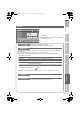
Decoder(EXT-2)
Select “On” when connecting the Decoder to EXT-2 through the
VCR (On / Off)
Component Auto
Select
Changes the TV input to “EXT-4” when a component signal is input
to EXT-4 (On / Off)
z Not available when viewing PC
EXT Setting
g “Setting external terminals” (P. 21)
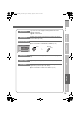
HDMI Setting
Size :
If picture size is not correct in 480p(525p), change this setting to 1
or 2. Normally set to “Auto”.
Audio :
If there is no sound, change this setting to “Digital” or “Analogue”.
Normally set to “Auto”.
HDMI CEC :
If you use a HDMI CEC compatible device, set this setting to “On”.
z For more details g “What is “HDMI CEC”?” (P. 41)
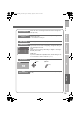
PC Position
Adjust the position of the PC image
Auto
Demonstration
Starts the “100Hz Clear Motion Drive” demonstration (On / Off)
(P. 42)
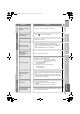
HDMI CEC
HDMI
-1
Auto
Auto
Size
Audio Auto
On
Size
HDMI Setting
HDMI
-2
AutoSize
HDMI
-3
adjust
(blue)
Reset
PC Position
LT-42V80BU_EN.book Page 36 Tuesday, August 21, 2007 10:50 AM