
Operation Manual





12
IMPORTANT PREPARE USE SETTING TROUBLE?
ENGLISH
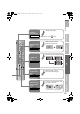
Move
Move a channel’s position (PR)
ID
Edit a channel name (ID)
Insert
Insert a new channel directly by entering the CH/CC number
Delete
Delete a channel
z Pressing the button deletes the channel.
Manual
Register a new channel
set
select
When selecting a preset name from the “ID List”
B set
A select character
B move position
C set
A select
enter the first
character
(blue)
Naming a channel
z Receives the broadcast signal.
z “CH/CC” List g (P. 43)
Select a “CH/CC”
Enter a number
Fine-
System
Search+
Fine+Search-
AV
PR ID
Manual
CH / CC
01
02 03CH
03 04CH
04
05
06
07
08
09
05CH
06CH
01CC
02CC
03CC
04
(B / G)
CC
BBC1
_ _ _ _ _ _
02CH
z Press the red or green button. Auto-search
begins, and the nearest frequency is
imported.
g Repeat the previous steps until the
desired channel is displayed.
A Search a channel
Fine tune
Select a system
z If necessary, press X to
change the broadcasting
system.
g“Receivable broadcast
systems” (P. 40)
B Set
LT-42V80BU_EN.book Page 12 Tuesday, August 21, 2007 10:50 AM