
Operation Manual





10
IMPORTANT PREPARE USE SETTING TROUBLE?
ENGLISH
A
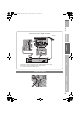
Begin
The remote control doesn’t
work
z Confirm the mode is set to
“TV”.
B
Select a language
C
Select the country of installation
D
Automatically register channels
E
Check what was registered
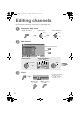
To edit channels
g“Editing channels” (P. 11)
If not editing channels
F
Finish
When using “T-V LINK”
z If “Feature Not
Available”
appears
g (P. 39)
When not using
“T-V LINK”
z Shown only when powering on for the first time.
Language
Suomi
Svenska
Norsk
Dansk
Nederlands
Castellano
Italiano
Deutsch
Français
English
Català
Türkçe
Português
Magyar
Polski
B set
A select
Auto Program
Belgium
Nederland
Italia
France
Deutschland
United Kingdom
Country
Suomi
Norge
Sverige
Danmark
Switzerland
Ireland
Start
More
select
z For the next page g “ ” (Yellow)
Auto Program
CH
02
0%
z If “ACI Start” appears, select and start settings.
(This will set up cable television channels.)
g“What is “ACI” (Automatic Channel Installation)?”
(P. 40)
Manual
Move
ID
DeleteInsert
BBC1
_ _ _ _ _ _
AV
PR ID
Edit
CH / CC
01 02CH
02 03CH
03 04CH
04
05
06
07
08
09
05CH
06CH
01CC
02CC
03CC
04CC
T - V LINK
Recording DeviceDownload TV
(blue)
LT-42V80BU_EN.book Page 10 Tuesday, August 21, 2007 10:50 AM