
Operation Manual







17
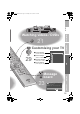
Watching TV
Basic operations using the side
buttons
P
MENU/OK
TV/AV
Volume
A
B
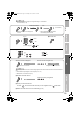
Change the channel
Power on
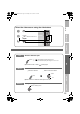
Switch between mono / stereo / bilingual
broadcasting
g “Stereo/ t·u” (P. 32)
z To completely turn off the TV, unplug the power
plug.
A
Set to “TV”
B
Power on
z Press again to turn the screen off and
put the TV into standby mode.
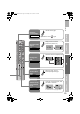
C
Select a channel
To the previous channel
g
The blue power lamp
on the TV lights
Note
Register a channel
to a button
FAVOURITE
CHANNEL
Using the number
buttons, up / down
buttons
Using PR list
Channel information
and clock
Volume
Mute
LT-32P80BU.book Page 17 Tuesday, June 12, 2007 2:50 PM