
Operation Manual





GB-9
PREPERATION
Remote Control Buttons
ENGLISH
LCD LCD
LCD
LCD LCD
LCD
LCD LCD
LCD
LCD LCD
LCD
LCD LCD
LCD
(MUTE)
Number Buttons
LCD LCD
LCD
(Information)
Displays information on the
current channel or input.
LCD LCD
LCD
(Power On/Off)
Mode Switch
DVDplayers/
TV/
VCRs and DVD recorders.
AV
Changes input source.
TV/DTV
Switches between digital TV
and analog TV modes.
OK
Confirms (save or enter) your
choiceintheOSDmenu.
P /
Switches channels.
Coloured Buttons
Used for interactive
applications in the EPG,
Edit Channels and Teletext
mode.
MENU
DisplaystheOSDmenu.
Arrow Buttons
Controls the selection in the
OSDmenu.
BACK
Returns to the previous
display.
VOL+/-
Adjusts the volume.
ZOOM
Select the aspect ratio.
LCD LCD
LCD
(Hyper Sound)
Gives the ambient sound
effect.
TV/RADIO
Switches between digital TV
and Radio modes.
GUIDE
Displays the EPG in Digital
TV input.
LCD LCD
LCD
(DUAL SOUND)
Selects the sound mode
(Stereo, Mono, etc.) in
Analog TV input or the audio
language in Digital TV input.
LCD LCD
LCD
(SUBTITLE)
Selects the subtitle
language in Digital TV input.
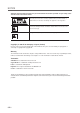
VCR (DVD) Buttons
TOPMENU/
LCD LCD
LCD
TELETEXT Buttons
(Refer to p 22)
LCD LCD
LCD