
Manual




ConnectingOtherEquipment Now, you can plug the AC power cord.
You can connect both analog and digital equipment.
. DO NOT connect any equipment while the power
is on.
• DO NOT plug in any equipment until all connections
are complete.
IMPORTANT: Be sure to check all connections to be done
before plugging the AC power cord into a wall outlet.
Cancelingthe Demonstration
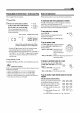
Toconnectan analogcomponent
Be sure that the plugs of the audio cords are colored: White
plugs and jacks are for left audio signals, and red ones for
right audio signals.
To audio output
Audio equipment I
For playing the other equipment through this unit,
connect between the audio output jacks on the other
equipment and AUX jacks by using audio cords (not
supplied).
When connecting the AC power cord into a wall outlet, the
unit automatically starts the demonstration.
To cancel the demonstration, press and hold ...........
CANCEL/DEMO until "DEMO OFF" appears
on the display.
• To cancel only beep sounds during the
demonstration, press BEEP ON/OFF on the remote control.
_When you press other buttons
The demonstration stops temporarily. It will start automatically
again (if no operation is done for 2 minutes) unless you cancel it by
pressing CANCEL/DEMO.
Tostartthe demonstrationmanually
Press and hold CANCEL/DEMO again until "DEMO START"
appears on the display.
Toconnectaudioequipmentwith an opticaldigital
input terminal
You can record CD sound onto the connected digital equipment.
0_T'T_?KI
OUTPUT/ /
Protective
plug
Before connecting the
other equipment,
remove the protective
plug from the terminal.
To optical digital input
I udio equipment withan optical digital input
i i i i
Connect an optical digital cord (not supplied) between the
optical digital input terminal on the other equipment and the
CD OPTICAL DIGITAL OUTPUT terminal.
-8-