
Compact Component System Instruction Manual
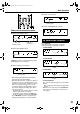
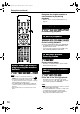
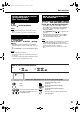
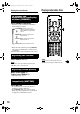
Table Of Contents
- J version
- Warnings, cautions and others
- Table of contents
- Special cautions
- About discs
- Description of parts
- Using the remote control
- Connecting up
- Playing discs
- Playing audio/video files
- Resume Playback
- Select the scene to be played
- Program Playback/Random Playback
- Repeat Playback
- Other convenient functions
- Functions specific to DVD AUDIO
- Using the menu bar
- Preferences
- Country/Area codes
- Listening to a radio broadcast
- Tuning in to a preset station
- Listening to the sound of other audio device
- Setting the Various Timer
- Tray Lock
- Troubleshooting
- Language codes
- Specifications
- LIMITED WARRANTY
- C version
- Warnings, cautions and others
- Table of contents
- Special cautions
- About discs
- Description of parts
- Using the remote control
- Connecting up
- Playing discs
- Playing audio/video files
- Resume Playback
- Select the scene to be played
- Program Playback/Random Playback
- Repeat Playback
- Other convenient functions
- Functions specific to DVD AUDIO
- Using the menu bar
- Preferences
- Country/Area codes
- Listening to a radio broadcast
- Tuning in to a preset station
- Listening to the sound of other audio device
- Setting the Various Timer
- Tray Lock
- Troubleshooting
- Language codes
- Specifications
18
NOTE
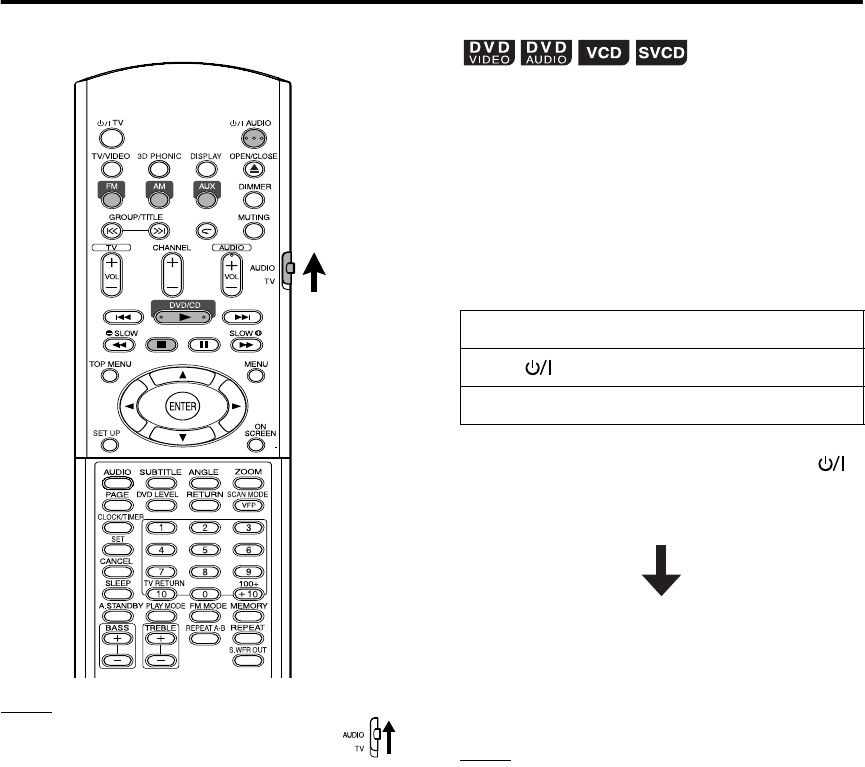
Set the remote control mode selector to
AUDIO before using the number buttons.
This system can store the stop point, and when
you start playback again by pressing DVD/CD
3
(even while on standby), it starts from the position
where you have stopped—Resume Play. The
RESUME indicator lights on the display window
when you stop playback.
How to suspend playback
Perform any of the following operations during
playback.
* Even if the power is turned off by pressing
AUDIO after this, the position where playback
has been stopped will be stored.
To start playback from the stored
position
Press DVD/CD 3.
NOTE
• This function does not work in Program Playback or
Random Playback.
• The position where playback starts again may be a
little different from the stopped position.
• When a disc menu is displayed, the Resume
function may not work.
• The audio language, the subtitle language and the
angle at that time are stored as well as the stopped
position.
• The stored position will be cleared if the disc tray is
opened. Further, if 7 is pressed during playback,
“RESUME” will be displayed. If 7 is pressed again,
the stored information will be cleared.
• At the time of purchase, Resume is set to ON.
Resume can be set to OFF (page 30).
Press 7 once.*
Press AUDIO to turn off the power.
Change the source to FM, AM or AUX.*
Resume Playback
FS-Y1[J].book Page 18 Monday, January 31, 2005 12:04 PM