
Compact Component System Instructions
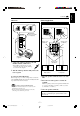
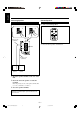
Table Of Contents
- Main body
- Warnings, Cautions and Others
- CAUTION
- IMPORTANT FOR LASER PRODUCTS
- Introduction
- Contents
- Location of the Buttons and Controls
- Getting Started
- Common Operations
- Listening to FM and AM Broadcasts
- Playing Back CDs (CD/CD-R/CD-RW)
- Playing Back Video CDs
- MP3 Disc Playback
- Playing Back Tapes
- Recording
- Using the Microphones
- Using the Timers
- Maintenance
- Troubleshooting
- Specifications
- SP-MXG950V
- SP-MXG850V/SP-MXG880V
- SP-MXG750V
– 8 –
English
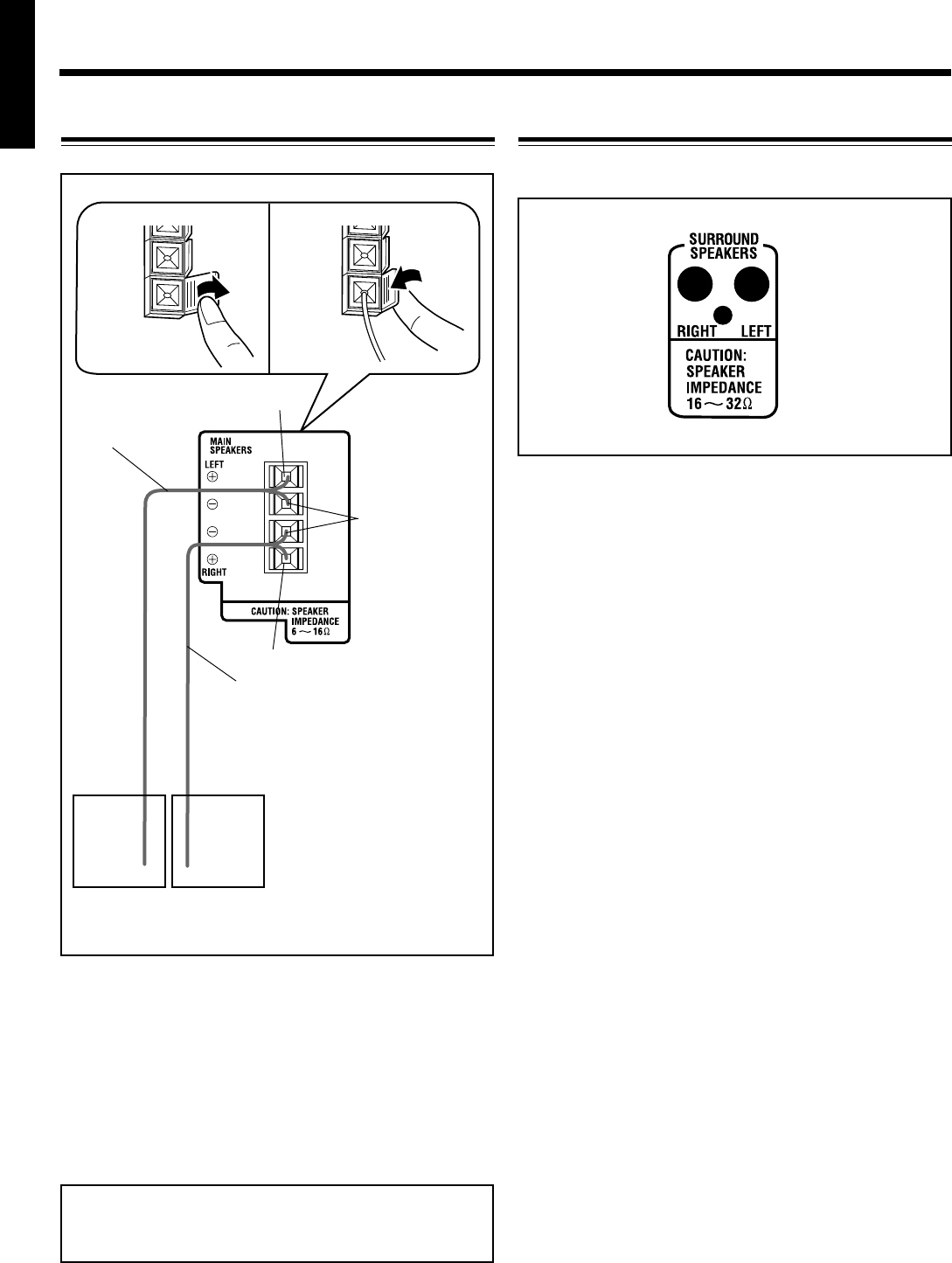
Connecting Speakers
For Model CA-MXG750V
1 Open the speaker terminals on the rear of the
unit.
2 Insert the end of the speaker cord into the
terminal.
Match the polarity (colours) of the speaker terminals: Red
(+) to red (+) and black (–) to black (–).
3 Close the speaker terminals.
IMPORTANT: Use only speakers with the same speaker
impedance as indicated by the speaker terminals on the
rear of the unit.
1
3
Black
Red
Speaker cords
(red/black)
Right
speaker
Left
speaker
Speaker cords
(red/black)
2
Surround Speakers
• Connect the right rear speaker to the RIGHT jack.
• Connect the left rear speaker to the LEFT jack.
To connect surround speakers.
Red
EN01-13.CA-MXG950/850/750 3/1/02, 3:44 PM8