
Manual


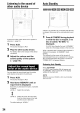


Tuningin to a presetstation Listening to radio
FM/AM
AUDIO
iiCil 4 i¸¸ Jii: !i ¸ ii ii ii
Cursor
(_/_)
/ENTER
o Number
buttons
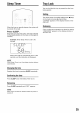
Presetting stations in the system allows you to
easily tune in to a station.
NOTE
Set the remote control mode selector to .... _'_
AUDIO before using the number buttons. _
UI
3
4
Select the number you want to
store by pressing cursor _/_
while the memory number is
blinking.
• You can also select the number by using the
number buttons.
• Refer to "How to use the number buttons"
(; -" page 15).
Press MEMORY or ENTER while
the selected number is blinking.
"SET" will be displayed and the selected
station will be stored.
NOTE
Storing a new station to a used number erases the
previously stored station.
'I Press FM/AM repeatedly to
select either FM or AM.
2 Press the number buttons to
select the memory number of a
station you want to tune in to.
Refer to "How to use the number buttons"
(:- page 15).
You can also select by pressing cursor .t/_.
The system stores up to 30 FM stations and up to
15 AM stations.
I Select a station you want to
store (_ page 32 for how to
select).
2 Press MEMORY.
Figures (memory number) blink on the display
window for about 5 seconds.
33