
Manual
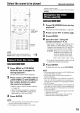


ProgramPlayback/RandomPlayback
(Play button)
CANCEL
/f % _ ",', m .4
PLAY MODE
IC q i¸ C J ii; U¸¸¸i il
__i _ iiiiii_iill_ '!IZ_Iii,!_ii
,-Number
buttons
It is possible to program a maximum of 99 chapters
or tracks. The same chapter or track can be
programmed more than once.
1 While the disc is stopped, press
PLAY MODE repeatedly to
display "PRGM" on the display
window on the main unit.
"PRGM" is an abbreviation for PROGRAM.
Example: For DVD VIDEO
PROGRAM _\ TV screen
NO Gr o_J_i'r;_e r _okio_pte
1 I II
2 i II
3 I II
4 F Jl
s r 1[
6 I.....................I[
7 I.................I[
8 I II
-- -Program
screen
2
Create a program following the
description on the TV screen.
Refer to "How to use the number buttons"
(:- page 15).
• The input content varies depending on the
disc type.
• DVD VIDEO: Titles and chapters
• VCD, SVCD, CD: Tracks
• DVD AUDIO, MP3: Groups and tracks
• To select a DVD AUDIO bonus group, carry
out the operations of "Playing the Bonus
Group" on page 27 in advance to erase the
display "BONUS".
• If the number of chapters or tracks input is
greater than 99, "FULl" will be displayed.
• In the case of a CD, SVCD or VCD, when
the total playback time reaches 99 minutes
59 seconds, "--:--" will be displayed on the
display window (It is possible to continue
programming).
2O
NOTE
Set the remote control mode selector to , D,o[_
y!
AUDIO before using the number buttons.