
Manual


Selectthesceneto be played Advanced operations
AUDIO
Cursor
(A/v/-_/_)
/ENTER
Number
buttons
NOTE
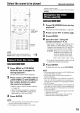
Set the remote control mode selector to _Jo,oI_
AUDIO before using the number buttons, v
2
Press MENU or ToP MENU
while the disc is stopped or
during playback *_.
The disc menu screen will be displayed.
Press cursor A/T/4/_-(only for
a DVD VIDEO or DVD AUDIO) or
the number buttons to select
the scene to be played.
• Refer to "How to use the number buttons"
(: -" page 15).
• When the menu screen has a couple of
pages, press _4 or _,-I to change the
page (only for a VCD and SVCD).
3 Press ENTER.
without a menu screen.
• Playback may start for some discs without pressing
ENTER.
1
Press ON SCREEN twice during
playback .2.
The menu bar will be displayed (_ page 28).
2 Press cursor_/P- to select ._J.
3 Press ENTER.
4
Input the time .3 using the
number buttons (1-9, 0).
• Input "hours", "minutes" and "seconds" for a
DVD VIDEO and DVD AUDIO, and input
"minutes" and "seconds" for a CD and VCD.
"minutes" and "seconds" can be omitted.
Example: When you want to play a DVD
VIDEO from the position of (0
hour) 23 minutes 45 seconds,
press the buttons in the order:
• If you input wrong numbers, press cursor4
to delete the numbers and re-input.
Press ENTER.
To delete the menu bar, press ON SCREEN.
NOTE
• This function does not work fora DVD VIDEO with
no time information recorded.
• This function does not work during Program or
Random Playback.
.2 For a CD, this operation can always be carried out,
while, for a VCD, the operation can be carried out
when the disc is stopped or during playback without
the PBC function.
.3 Time search for a DVD VIDEO is from the beginning
of the title, for a DVD AUDIO from the beginning of
the track being played. Time search for a VCD and
a CD is as follows:
• When the disc is stopped, time search is from the
beginning of the disc.
• When the disc is being played, time search is
within the track currently being played.
NOTE
*_ For a VCD and SVCD, this operation can be carried
out only when the PBC function is off.
• This operation cannot be carried out for a disc
19