
Manual
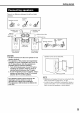


ResumePlayback
When playback is stopped in the middle, playback
can be started from the stopped scene.
This is called Resume function.
0/_ AUDIO
FM/AM AUX
_(Play button)
How to suspend playback
Perform any of the following operations during
playback.
Press • once.*
Press O/I AUDIO to turn off the power.
Change the source to FM/AM or AUX.*
Even if the power is turned off by pressing
O/IAUDIO after this, the position where playback
has been stopped will be stored.
To start playback from the stored
position
Press I_ (play).
NOTE
• This function does not work in Program Playback or
Random Playback.
• The position where playback starts again may be a
little different from the stopped position.
• When a disc menu is displayed, the Resume
function may not work.
• The audio language, the subtitle language and the
angle at that time are stored as weft as the stopped
position.
• The stored position will be cleared if the disc tray is
opened. Further, if • is pressed during playback,
"RESUME" will be displayed. If • is pressed at this
time, "RESUME OFF" will be displayed and the
stored information will be cleared.
• At the time of purchase, Resume is set to ON.
Resume can be set to OFF (.. _page 30).
18