
Manual
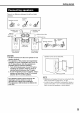


UPPER
LOWER
©
Display window during disc playback
Example: When a DVDVIDEO or DVDAUDIO is played
j_:'j :._ j_:'j j_::j :.:. j_:'j ":;._-Elal_sed.
•....., ........,... ....,"...'Jplay=ngt_me
/
izlnzlzlZ m--m
;..'; ; | Chapter/Track
•..." .-'. J number
If "BONUS" or "B.S.R" is displayed during a DVD
AUDIO playback, refer to page 27.
Example: When a SVCD or VCD is played
F' JiiiI (ii: i_-Tracknumber
/
0 :[
• PBC (Play Back Control): A signal recorded in a
VCD (version 2.0) for controlling playback. It is
possible to enjoy interactive software or software
with a search function using a menu screen
recorded in a PBC compatible VCD. To play a
disc with the PBC function OFF, carry out the
following operations.
• Designate the track number using the number
buttons while the disc is stopped.
• Designate the track number using _-_ or _1
while the disc is stopped, and then press
D,-(play).
• Press RETURN to go back to the upper layer
during the PBC playback of a VCD or SVCD.
Example: When a CD is played
! ;;;; ?!i_::'_Jl-elap see
•.. [; ...... / playing time
i""i i JTraeknumber
mmm mmm j
Basic operations
Example: When an MP3 disc is played
...............•"". .-" playing hme
;.."; ; JTrack number
•.... .-% J
Example: When a JPEG disc is played
Group number _ File number
[i"j:::''"'"
•. ".::i
Press UPPER or LOWER. Each time you press
the button, the display will be alternated.
Display examples
DVD VIDEO
UPPER:r_o:oo:o3(Elapsedplayingtime) _ T1 C3 (Title and Chapter number)
/
No display4 J
J
DVD AUDIO
UPPER: r_O:OO:O3(Elapsedplayingtime)_ G1T3(GroupandTracknumber)
!
No display,_ J
LOWER:r_03(Track number) _ G1 (Group number)-,,,,,,,,,,_DVD
1 J
VCD/SVCD
UPPER: r_O:O3 (Elapsed playing time) _ Nodisplay
L-pBC 2 PBC and Track number appear only
when PBC funct on s payed)
CD
UPPER: r,_0:0S(Elapsed playing time)
1
MP3 disc
VCD
J
Nodisplay
J
_*CD
J
UPPER: F4_0:00:03(Elapsedplayingtime)_ G1 T3 (Track number)
!
No display4 J
LOWER:--[¢'G1(Group number) =4_ MP3 _ 03(Track number)j
JPEG disc
UPPER: r4_G1 F3 (Group number and File number) --¢, No display
/ J
LOWER:JPG
NOTE
Abbreviations
G: Group
T: Title (DVD VIDEO)
Track (DVD AUDIO and MP3)
C: Chapter
F: File
13