
User's Manual





25
3 Daily operation
3 Daily operation
Daily maintenance of the machine and hygiene when handling milk,
coffee and water are key to a perfect coffee result in the cup every
time. You should therefore change the water daily.
When the IMPRESSA is switched on, it automatically prompts you
to perform the switch-on rinse. Start the switch-on rinse by pressing
the Rotary Switchk. In programming mode you can change this
setting so that the machine starts the switch-on rinse automatically.
(see Chapter 4 ‘Permanent settings in programming mode –
Rinses’).
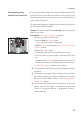
Precondition:Your IMPRESSA is switched on at the power switch.
T Place a receptacle under the coffee spout.
Q T Press the On/Off button to switch the IMPRESSA on.
‘Welcome to JURA’ appears on the display.
‘Machine is heating.’
‘Press the Rotary Switch.’
, the Rotary Switch lights up.
k T Press the Rotary Switch.
‘Machine is rinsing.’, water flows out of the coffee spout. The
rinse stops automatically.
‘Please select product:’ appears on
the display.
To ensure that you get many years of reliable service out of your
IMPRESSA and to guarantee the optimum coffee quality, the
machine requires daily maintenance.
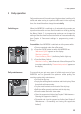
T Pull out the drip tray.
T Empty the coffee grounds container and the drip tray. Rinse
them both with warm water.
T Dry the metal contacts on the back of the drip tray.
T Refit the coffee grounds container and the drip tray.
T Rinse the water tank with clean water.
T Clean the cappuccino frother (see Chapter 5 ‘Maintenance –
Cleaning the cappuccino frother’).
T Dismantle and rinse the cappuccino frother (see Chapter 5
‘Maintenance – Dismantling and rinsing the cappuccino
frother’).
Switching on
Daily maintenance