
Software Owner manual


67
9 Evaluation - Table area
9.11 Printing
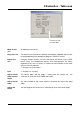
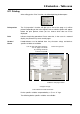
After calling up the “Print” function, the following dialog window opens.
Print preview The “Print preview” function will give you a view of the page as it will be
printed. Depending on the active register, further selection options will appear
before the print preview, where you can choose which data are to be
displayed.
Print Initiates the printing procedure. Please note that, in the case of a zoomed
display, the printout may cover several pages.
Header /
Footer
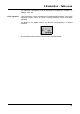
Headers/footers can be defined here. Any character strings and device-
specific variables are available.
Device-specific variables are preceded by a “$” or a “#” sign.
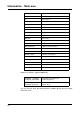
The following device-specific variables are available:
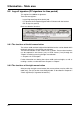
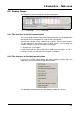
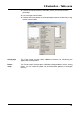
Select font type/size
Predefine start page number
Cells for text and control elements.
You can apply a line break
by entering Ctrl+Enter
on the PC keyboard.
Set paper margin
Switch between header and footer.