
Software Owner manual


9 Evaluation - Table area
46
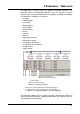
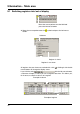
9.2.1 The functions of the left mouse button
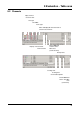
Display channel Each channel (analog, digital and messages) can be shown or hidden. Only
channels that are marked with a are shown in the graphics area.
Channel color Here you can select the color in which the measured values and channel-
specific data are displayed. The color affects both the graphics and the table
area.
v See “Colors” on page 77.
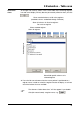
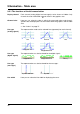
Line type
(analog signals)
The representation mode can be selected here (separately for each channel).
Line type
(digital signals)
The representation can also be altered for the digital signals.
Line type
(messages)
The representation can also be altered for the messages.
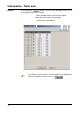
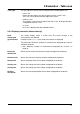
Line width Here you can select the line width for displaying the curve.
Dot
Dot line
Line
Stepped line
Stepped dot line
Stepped line Stepped dot line
Binary
Symbol and text Symbol