
Software Owner manual


9 Evaluation - Table area
44
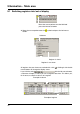
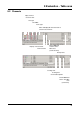
Columns By activating the button, you can switch individual columns of an
active register into or out of display.
H
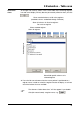
The submenu “Select columns” will also appear if you double-click
(left mouse button) a column name, e. g. .
Name of the active register
Show all columns of the active register
Show standard columns of the active register