
User Manual



4 Commissioning the instrument
11
4.3 Setting the instrument functions (parameter level)
The instrument functions and values are set at the parameter level.
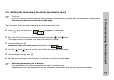
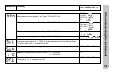
h Press for 3 seconds and will appear in alternation.
h Set code 72 for accessing the parameter level using the and keys.
The longer the key is pressed, the faster the value will change.
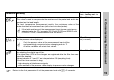
h Acknowledge with ,
parameter name and value appear alternately, e.g. .
h Use the and keys to set the value within the specified value range.
h Acknowledge settings with .
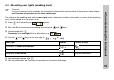
h Set the next parameter, see Overview of operation on the front inside page.
H
Time-out:
If no key is pressed for 60 seconds, the instrument automatically switches back to temperature display, see
Overview of operation on the front inside page.
H
Switching parameters out of display:
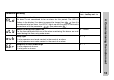
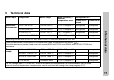
The table below lists all the parameters for each instrument type.
Depending on the type designation on the nameplate, parameters that are not required are hidden.