
User`s guide





XE_BTP-06.ENG.MAN.manual.04.C
- 12 -
There are six bu ons on your BTP-06 that can be used for frequently called numbers or emergency num-
bers.
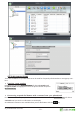
Hold down the selected
for about un l
the
phone number:
dialog appears. Enter the phone number and press
.
Find the contact name in your phonebook and press and hold the selected for about
un l you see the con rma on on the display.
An addi onal 6 memories are available when you use dial bu on with the
key.