
User`s guide





XE_BTP-06.ENG.MAN.manual.04.C
- 10 -
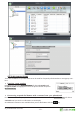
The BTP-06 stores the calling history. There can be up to 100 calls stored in the memory. If the memory is
full, the oldest record of the same type is automa cally erased.
The BTP-06 also synchronizes the call history with your mobile phone (if supported by your mobile phone).
Press
to view the complete call history.
If you prefer to see just
Missed
( ),
Incoming
(
) or
Outgoing
( ) calls then select the
Filter
.
Addi onal func ons are available under the
Options
menu for each call record:
Details
- extended informa on about the call number, date, me, count
Call
- dial the number of selected call record
Send SMS
- send a text message to the selected number
Delete
- delete this call record from the call history log
Store number
- save number in your phonebook
Delete all
- deletes all call records from the call history log
Please note that some mobile phones may not support this func on – please check the table of the
func ons supported by your mobile phone – chapter 3.
Press the key, located on the upper le hand side of your phone’s
keyboard to start wri ng a new message. Write the text and press the Send
selec on key. Enter the recipient’s phone number or select the name from
the contacts (use
). Con rm the recipient’s number and then send
message by
OK
.
-
Hold for 2 seconds to switch between
Abc, abcor ABC character op ons.
- Press to delete previous character.
-
Press shortly to display symbols above QWERTY keys.
- Press for
2 seconds to display extended chart of symbols.
Press
Insert
to place the symbol into text.
Receiving of a new text message is indicated by an acous c signal, by the
ashing of the red indicator light and by the envelope symbol on the LCD.
Press to read the received text message and scroll through
the message by using
.
Addi onal func ons are available under the Op ons menu:
Delete
- deletes the current text message
Reply
- sends a reply to the message sender
Forward
- forwards the message to another recipient