
User Manual




#17
www.istorage-uk.com
iStorage diskAshur
2
®
Manual – v 2.3
25. diskAshur
2
Setup for Mac OS
Your diskAshur
2
is preformatted in NTFS for Windows. To reformat the drive to a Mac compatible format please read below.
Once the drive is unlocked, open Disk Utility from Applications/Utilities/Disk Utilities.
To format the diskAshur
2
:
1. Select diskAshur
2
from the list of drives and volumes. Each drive in the list will display its capacity, manufacturer, and
product name, such as ‘iStorage diskAshur
2
Media’ or 232.9 diskAshur
2
.
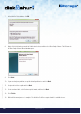
2. Click the ‘Erase’ button (figure 1).
3. Enter a name for the drive (figure 2). The default name is Untitled. The name of the drive will eventually appear on the
desktop.
figure 2
figure 1