
User's Manual






5 PRINTER OPERATION
47
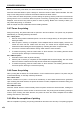
Figure 5. 16 Preheating and heat maintaining interface
5.4.5 Setting of printing parameters
During the printing, following processing parameters of the printer may be tuned in the “Tune” interface:
temperature of left nozzle (L-nozzle), temperature of right nozzle (R-nozzle), buildplate temperature
(Buildplate T), chamber temperature (Chamber T), material chamber temperature (Filament T), Print
Speed, Material Flow, speed of left fan (L-Fan Speed), and speed of right fan (R-Fan Speed).
Steps to tune parameters are as below:
1. Click the icon of the parameter to be tuned to make it be highlighted;
2. Change the parameter value by clicking the "-"/"+" on right side or turning the rotary knob below,
where exact value is displayed in the box;
3. Click “Set” button to complete setting such parameter.
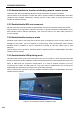
Figure 5. 32 Tuning interface
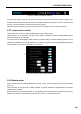
5.4.6 Printing alarm
The printer will give alarm on the display screen when detecting any fault likely to impact the printing.