
User's Manual






5 PRINTER OPERATION
36
5 Printer O
peration
The basic
steps to operate FUNMATPRO 410 are described in this chapter.
5.1 Basic User
Operations
5.1.1 Power on the printer
To power on the printer:
1. Take out the power cable, and connect the two ends of the cable to AC power supply plug
( 200-240V~50-60Hz) and the printer's power socket respectively (the power socket is located at the
lower part on the back of the machine);
2. Plug in the power cable, then turn on the power switch besides the printer's power socket to make the
power switch in the ON (I) position;
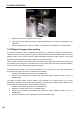
Figure 5. 1 Printer's power interface and switch
3. On the front side of the printer, switch on the front ON/OFF switch on the right of the screen. At this time,
the indicator light of front ON/OFF switch lights, and meanwhile the operating screen enters the starting
interface. The printer is starting up. A moment later, the screen turn to the screensaver interface. Click any
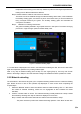
position on the screen to quit the screensaver interface. Following interface will be displayed, and the
startup is completed.
Figure 5. 2 ON/OFF Switch and startup interface