
User's Manual




4 USER INTERFACE
33
Figure 4. 27 Wireless network IP setting interface
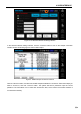
In the wireless network setting interface, click the "Connect" button to turn to the hotspot connection
interface shown as following figure to select a Wifi hotspot.
Figure 4. 28Wifi hotspot connection interface
Click the "discover" button, and discover the Wifi hotspots available for connection. Select the hotspot you
want to connect to, and click "connect" button. The system will ask for password. Input the correct
password. The Wifi status icon in status bar will become blue, which means the wireless network is
connected successfully.