
User's Manual




4 USER INTERFACE
31
• L-Clamper: Calibrate the clamp force of left nozzle
• R-Clamper: Calibrate the clamp force of right nozzle
• L-Spooler weight: Set the weight of left spooler
• R-Spooler weight: Set the weight of right spooler
4.7 Other Interfaces
4.7.1 Remote printing interface
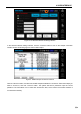
The remote printing interface is used to enable the remote printing service. Click the remote printing state
in status bar to turn to the interface
Figure 4.23 Remote printing state button
Figure 4. 23 Remote printing interface
Note: Before the use of remote printing service, the IP address should be set successfully first. It only
needs to select any one of the wired and wireless network to configure IP. Currently it does not support
the simultaneous working under both two network configuration.
4.7.2 Wired network IP setting interface
Figure 4. 24 Wired network state button
Click the wired network state icon in the status bar to turn to the wired network IP setting interface. In the
setting area, select DHCPIP address (dynamic IP address) or Static IP address, where static IP address
requires manual inputting of IP address, and the Netmask (subnet mask), Gateway and DNS (domain