
User's Manual



4 USER INTERFACE
20
No wireless network
access
Wireless network
access
network
Only view of wireless network IP address is available when
there is no wireless network access
Remote printing state Grey icon indicates the disabled state of remote printing
service
Blue icon indicates the enabled state of remote printing
service
Rotating blue icon indicates there is remote user access
currently
Click the icon to turn to the remote printing service
monitoring and configuration interface, and click again to
close the interface
Remote
printing service
disabled
Remote
printing
service
enabled
Remote user
access
Error code The error code background color indicates different severity
Blue for normal
Yellow for warning
Orange for common error, the system will automatically
cease the printing
Red for serious error, the system will automatically cease
the printing
Data source Click the combo box to select data source
SD for SD card
Udisk for USB flash disk
Ftp for file transfer directory
Flash for internal memory
Screen lock Click to lock the screen
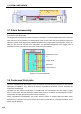
In addition: The status bar will display an icon for insertion of SD card or UBS flash disk (state indication
only, clicking unavailable).
Figure 4. 3 Supplement 1 to status bar
The status bar will display an icon for insertion of mouse or keyboard (state indication only, clicking
unavailable).
Figure 4. 4 Supplement 2 to status bar