
Datasheet





INSYS ETHERNET 5.X AT Command Reference
Nov-06 53
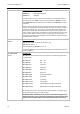
AT&F
Load factory settings
The factory settings are loaded. All factory settings in this AT command list
are marked "(default)".
All settings, which can be stored using AT&W, are affected by AT&W (not the
network settings, see also AT&W). However, not all settings that were stored
are changed, only the currently active settings.
By entering the command sequence AT&F&W, the device can be returned to
the factory settings (excluding the network settings).
Exception:
The network settings, as well as the baud rate (AT*S) and the data format
(AT*U) are not affected. These settings can only be reset using the factory
reset.
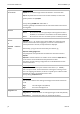
AT#GW=<IP ad-
dress>
Set gateway address
The standard gateway is set with AT#GW. Data packets to remote IP ad-
dresses which can not be accessed directly in the local network segment, are
routed via a gateway (e.g. router).
Factory setting: AT#GW=0.0.0.0
IP address, gateway and network mask must be coordinated in the local net-
work segment.
ATH
Dummy command
Command without effect, implemented for compatibility to the modem –
response “OK”.
When the connection is interrupted with the sequence “+++”, the device will
terminate the connection.
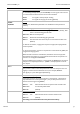
ATI<n>
Device identification display
ATI0 The device type ("Ethernet V3") is displayed
ATI3 The version number and the date when the firmware was
created is displayed.
ATI4 The ID string and the version number are displayed.
AT*I<n>
Querying the alarm input
Response <Input1>, <Input2>
0 Input is connected to GND and therefore activated
1 Input is open and therefore not activated