
Datasheet





AT Command Reference INSYS ETHERNET 5.X
52
Nov-06
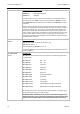
AT#DHCP=<n>
Activate/deactivate DHCP mode
Use the command AT#DHCP to automatically activate or deactivate the
automatic address allocation via DHCP. An accordingly configured server
must be available in the network.
AT#DHCP=1 The INSYS Ethernet will automatically retrieve the IP ad-
dress from a DHCP server when switched on.
AT#DHCP=0
The IP address set with AT#IP is used. (default).
The settings from the stored profile (AT#IP, AT#NM, AT#GW) are not affected
by the usage of DHCP. For AT#DHCP=0, the old values will again be available.
After a reset or power up, it may take a few minutes until the device receives
its settings from the DHCP server.
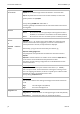
AT#DNS<n>=<IP
address>
Definition of a domain name server
The command defines a DNS server. The registration of a DNS server is re-
quired if during dialing a domain is used instead of an IP address.
The device can manage up to two DNS servers. As a parameter, the IP address
of the DNS server is specified.
Example:
AT#DNS1=212.112.77.12
AT#DNS2=81.114.44.1
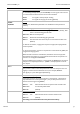
AT#DTC=<n>
Idle connection control (Data Transmit Controller)
The data transmit controller causes an unused connection to terminate
automatically. If no data is sent within the preset time, the connection is
terminated.
AT#DTC=<n> n in units of seconds
AT#DTC=0 The data transmit controller is switched off (default)
AT#DTC=255 Maximum value
ATE<n> Command entry Echo
This command toggles the responses, which the modem creates as reactions
from PC commands (Echo).
ATE0 Switch off Echo
ATE1 Switch on Echo (default)