
Datasheet



Initial Operation INSYS ETHERNET 5.X
24
Nov-06
Check the connection cable. For notebooks with USB/RS232 adapters there
may be problems with the configuration. In this case, use a PC with a direct
RS232 interface.
Check the interface settings (port, 19200, 8N1) of your terminal program.
Check if the COM interface is already being used by another program. In this
case, close the program or restart the computer, if necessary.
Trigger a factory reset by pushing the reset key (100..500 ms). Repeat the con-
figuration.
If you experience problems, please contact your support department (see Chapter 1).
4.5 Ethernet Connection Test
After a successful initial configuration you can easily determine if your INSYS Ethernet is
accessible in the network.
Open the prompt of a PC (DOS box). The PC must be in the same local network.
Execute the following command: ping x.x.x.x (x.x.x.x = configured IP address)
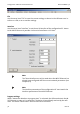
When the ping is responded to (see figure), a connection with the network has been es-
tablished.
Troubleshooting
If the ping command delivers no responses, the following items must be checked:
Wiring:
Are all cables plugged in?
Is the OH LED at the INSYS Ethernet flashing?
Are the network LEDs at the PC and the hub/switch flashing?
Were the correct cables used?
(twisted CAT5 cable for a direct connection between a PC and the INSYS
Ethernet without hub/switch)