
Datasheet



INSYS ETHERNET 5.X Initial Operation
Nov-06 23
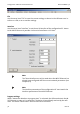
Click the button 'Synchronize RS232' to automatically adjust the baud rate
and the data format.
As a precaution, reset it to the factory settings using the button
'Send default values'.
As an alternative, you may also trigger a factory reset by pushing the reset key
(100..500 ms) three times. Perform the function 'Synchronize RS232' after-
wards.
4.4.3 Initial Configuration with AT Commands
You can perform the initial configuration alternatively with the software HSComm as
described in the previous chapter.
Start your terminal program (or the terminal window of HSComm) using the
following interface settings: 19200, 8N1.
Allocate a fixed IP address via AT commands:
Example: AT#IP=192.168.100.210
AT#NM=255.255.255.0 (usually not required, as it is al-
ready set as default)
As an alternative you may activate the automatic address allocation via DHCP
using AT#DHCP=1. You will need a DHCP server in the LAN.
Restart the INSYS Ethernet using AT#RBT or the reset key.
Check the settings with AT&V.
Troubleshooting
If the device is not reacting, please do the following: