
User Manual


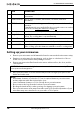
Table Of Contents
- Contents
- SAFETY INFORMATION
- Package contents
- Features
- Setting up your microwave
- Using your microwave
- Understanding and setting the power level
- Setting the clock
- Using the kitchen timer
- Cooking in your microwave
- Cooking quickly
- Defrosting in your microwave
- Cooking popcorn
- Cooking potatoes
- Cooking frozen vegetables
- Heating beverages
- Heating a dinner plate
- Heating pizza
- Using the memory function
- Using multi-stage cooking
- Using the energy saving mode
- Checking the time and power level while cooking
- Using the child-lock
- Turning off the buzzer
- Troubleshooting
- Maintaining your microwave
- Obtaining replacement parts
- Specifications
- Legal notices
- ONE-YEAR LIMITED WARRANTY

9
.9 Cu. Ft. Microwave Oven
www.insigniaproducts.com
Control panel
# ITEM DESCRIPTION
1 Display In standby mode, displays the time. In cooking mode, displays
cooking time, weight, and other information.
2 Time Defrost Press this button, then enter the time you want for an item to defrost.
3 Time Cook Press this button, then enter the time you want for an item to cook.
4 Power Press to set the power level of your microwave, then press the
number buttons to set the level you want (0-10). See Understanding
and setting the power level on page 12.