
User's Guide


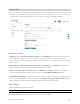


Table Of Contents
- Cover Page
- Contents
- 1 Introduction and Getting Started
- 2 Touchscreen
- 3 Admin Website
- 4 Advanced Settings
- 5 Troubleshooting and Support
- Overview
- Common Problems and Solutions
- My M2000 powered off without pressing the Power button
- No service is available
- My M2000 has no power/touchscreen doesn’t display when I press the Power button
- I forgot my Wi-Fi password
- I forgot my M2000 Admin website password
- I cannot connect a device to my M2000
- I see the network name, but cannot connect a device to my M2000
- I want to see how many devices are connected
- I want to see the firmware (software) version installed on my M2000
- I want to see the phone number for my M2000
- I want to see the battery level of my M2000
- I want to turn my M2000 off
- I want to know if my M2000 is still on when the touchscreen is dark
- Technical Support
- 6 Product Specifications and Regulatory Information
- 7 Glossary

5G MiFi M2000 USER GUIDE 66
Networks Tab
In most configurations, the M2000 is used with a dynamic IP and SIM and the Access Point Name (APN)
is available from the network, for example: fast.t-mobile.com. However, if you are on a private network,
you may need to set the APN on this tab for the network to communicate with the M2000.
Network Selection
Allow device to connect to the mobile network: Use the ON/OFF slider when necessary to turn off
cellular data and prevent access to the mobile network. This prevents connected devices from
connecting to the Internet and using your M2000 mobile data plan. For normal operation, this setting
must be left on.
Allow device to connect to the mobile network when roaming: Use the ON/OFF slider to turn off
cellular data and prevent access to the mobile network when roaming.
Enable automatic network selection: When the ON/OFF slider is ON, your M2000 automatically
selects the best 5G available network and you cannot use Select Network Manually below.
Select Network Manually: You may wish to use this option if multiple networks are available and you
have a preference. NOTE: This option is available only if Enable automatic network selection is off.
Click the button to scan for available networks, then choose the preferred network.
APN Settings
Enter the APN for your private network.
CAUTION: Changing the APN may cause a loss of data connectivity and disconnect you from the Web UI.
Click Save Changes. The M2000 will reboot for changes to take effect.