
User's Guide


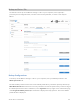
Table Of Contents
- Cover Page
- Contents
- 1 Introduction and Getting Started
- 2 Touchscreen
- 3 Admin Website
- 4 Advanced Settings
- 5 Troubleshooting and Support
- Overview
- Common Problems and Solutions
- My M2000 powered off without pressing the Power button
- No service is available
- My M2000 has no power/touchscreen doesn’t display when I press the Power button
- I forgot my Wi-Fi password
- I forgot my M2000 Admin website password
- I cannot connect a device to my M2000
- I see the network name, but cannot connect a device to my M2000
- I want to see how many devices are connected
- I want to see the firmware (software) version installed on my M2000
- I want to see the phone number for my M2000
- I want to see the battery level of my M2000
- I want to turn my M2000 off
- I want to know if my M2000 is still on when the touchscreen is dark
- Technical Support
- 6 Product Specifications and Regulatory Information
- 7 Glossary

5G MiFi M2000 USER GUIDE 41
Connected Devices Page
This page provides details about each device connected to the M2000 and allows you to edit how
device names appear in the Web UI. You can also block or unblock a device from Internet access.
Connected Devices
This table lists all devices connected to the M2000:
Device: An icon indicates the connection type (Wi-Fi or USB) for each device. (You can hover
over the icon to read the type of connection.) The name of the connected device is usually the
hostname set on the connected device. In rare cases, the hostname may be unavailable.
Network: Indicates whether the device is connected to the primary or guest network.
Block: Select this box to disconnect a device and prevent it from reconnecting. Select Save
Changes. The device is removed from the Connected list and appears in the Blocked list
below.
NOTE: This option is available for each device connected through Wi-Fi, but is not available for
your own device or devices connected via USB.
To view details on a device or change the name of the device as it appears in this Web UI, click the
down arrow icon on the right to expand the device row. The following information appears:
Name: To change how the device name appears in this Web UI, enter a different name. NOTE:
This only changes the device name in the M2000 Web UI.
IPv4: The IP address of the connected device.
MAC Address: The MAC Address (unique network identifier for this connected device).
Link Local: The Link-Local IPv6 address if the connected device supports IPv6.