
Getting Started Guide
V2.0 4 V-TAG Manual
2.0 Getting Started
To start using your V-TAG RFID tags, insert batteries into each tag. The LED light on
the tag should blink once every 20 seconds indicating normal operation.
To start using your V-TAG USB Gateway, attach the gateway to a USB port on a PC
running Windows 10 or Windows 11. Select “OK” when the operating system asks to use
the Internet to locate drivers.
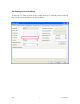
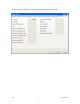
Install the InfinID Technologies, Inc. AssetWorx! asset tracking software on your PC by
running setup.exe and following the prompts.