
Owner manual





10
39
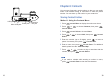
Micro USB jack
Telephone
line jack
Power jack
USB jack
Chapter 6: Contacts
Storing Contact Entries
Press to display the main menu items.
Press or to choose , then press
.
Press beneath to choose .
Press or to choose , then press
.
Enter the number (up to 20 digits), press to insert a
pause if necessary, then press .
Enter a name, then press . For additional
details, please see the " ".
Press or to select a ring to associate with the
number, then press .
Menu
Contacts
Select
Select Home
Add
Select
Save
Save
Character Map
Select
beneath
beneath
beneath
beneath
beneath
beneath
1
2
3
5
4
6
7
You can store frequently used numbers so that you can easily
make a call without having to remember or enter the phone
number. You can store up 100 entries in your contact list.
Method 1: Using the Contacts Menu
If you make a mistake while entering a number or name,
press to clear the last character.beneath Clear
Note: