
Manual






12
AZ
The screen shows various icons.
az
The landline is engaged.
The cellphone line is engaged.
Indicates the case in which letters will be
entered (upper case or lower case).
Battery charge level.
Fully charged status Low battery
Very low battery warning
Sleep mode is activated.
Indicates that only digits can be entered.
Signal strength. The greater the number of
bars, the stronger the signal.
The microphone is temporarily muted during a
conversation.
Speakerphone is enabled.
There are one or more missed calls.
Keypad is locked.
Alarm clock is set.
0-9
Handset Screen
or
Ringer volume is deactivated.
53
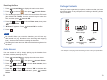
Language
You can change the language used to display the menu
messages. There are multiple languages available.
Press to display the main menu items.
Press to choose , then press .
Press or to choose , then press
. The current language appears.
Press or to select the language that you
want, press .
Menu
Select
Up Down Language
Select
Up Down
Select
beneath
beneath
beneath
beneath
1
2
3
4
Handset
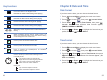
Auto-Lock
When you have activated this feature, some time (about 25
seconds) later if no operation is taken, the keypad will be auto-
locked. Then you need to press the power on button on the top
of the handset to unlock it.
Press to display the main menu items.
Press to choose , then press .
Press or to choose , then press
.
Press or to choose " " to activate this
feature or choose " " to deactivate it, press
.
Menu
Select
Up Down Auto-Lock
Select
Up Down ON
OFF
Select
beneath
beneath
beneath
beneath
1
2
3
4
Handset