
Manual





19
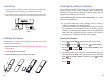
If you selected in the menu, enter
the time in 12h format and use or to select
or .
When setting the month, you can enter 1 digit or 2 digits at a
time, but it is displayed in 2-digit format. (For example: For
August, you can enter 8 or 08 in the month field, but the
display shows "08".)
After the time setting, press beneath to set the
date. During the date setting, press to switch to time
setting.
the date and time is
automatically set when you receive a call to this unit.
12-HOUR Time format
Up Down
AM PM
Select
Left
If your service uses the FSK standard,
Notes:
46
Speed Dial
You can store up to 9 speed dial numbers on the numeric
keypad (1~9), so you can easily dial the numbers by pressing
and holding the associated numeric key.
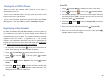
Press to display the main menu items.
Press to choose , then press
beneath to choose .
Press or to choose , then press
.
Repeatedly press or to select the desired
location ( ~ ), and then press
.
You can press or to scroll to the desired
entries, and then press .
Press again to confirm.
Menu
Select
Select Home
Up Down Speed dial
Select
Up Down
KEY 1 KEY 9
Modify
Up Down
Select
Select
beneath
beneath
beneath
beneath
beneath
beneath
Press and hold the numeric key (1~9), then press to dial the
number through your landline or dial it through your iPhone
using .
1
2
3
4
5
6
Storing Speed Dial Numbers
Dialing a Speed Dial Number
Contacts
Editing or Deleting Contacts
You can edit or delete a number in the contacts, as follows:
Find the desired number in the contacts.
Press to view the details of the selected
entry.
Selectbeneath
1
2