
Instruction Manual






Profile
In Call
Ring Tone
Press beneath .
Press or to move to , then press
beneath .
Press beneath to choose .
Press or to choose or , then
press beneath .
Menu
3Profile
Select
Select 1InCall
1Ring 2Silent
Select
Press beneath .
Press or to move to , then press
beneath .
Press to move to , then press
beneath .
Press or to select the ring tone, then press
beneath .
Menu
3Profile
Select
2RingTone
Select
Select
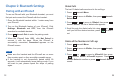
You can set your handset to ring or just be silent when a
new call comes in. Also, you can switch the two modes in
the standby mode by pressing and holding .
There are 5 ring tones for you to select.
1
1
2
2
3
3
4
4
11
Turning On or Off the Handset
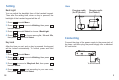
To turn on the handset, press and hold key for about
4 seconds, then the handset beeps.
To turn off the handset, press and hold key for about
4 seconds, appears, then the handset beeps
and power off.
PowerOff
26
Note:
Only qualified service centers are authorized to remove
or replace the battery.
If treated with care, a rechargeable battery has a long
service life. A new battery, or one that has not been used
for a long period of time, could have reduced capacity the
first few times it is used.
Battery Use and Care