
Instruction Manual






13
Connecting an iPhone5
The Bluetooth handset will connect to the last paired
iPhone5 automatically when the handset is switched off
then on, and within 10 meters range. Ensure the Bluetooth
feature is enabled on the iPhone5.
If you switch off the Bluetooth feature on the iPhone5 and
then switch it on, you should connect it again.
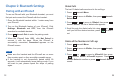
Press beneath in the standby mode. After that,
appears to the right side of on the
iPhone5 screen.
Click to the right side of on the
iPhone5 screen. After the connection is successful,
appears on the iPhone5 screen.
Cnect
Connected i-501
Not Connected i-501
Connected
Method 1: Using the Bluetooth handset
Method 2: Using the iPhone5
Call Logs
Received or Missed Calls
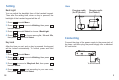
Press beneath .
Press to move to , then press beneath
.
Press beneath to access or
press to choose , then press beneath
. The list of incoming calls appears.
Scroll through the relevant calls list using or
until you find the desired number, press to dial it
out.
Menu
2Caller
Select
Select 1Received
2Missed
Select
The last 10 received (or missed) calls are stored in the call
logs.
1
2
3
4
24
Note:
Once the handset and the iPhone5 is more than 10
meters apart, they will be disconnected automatically. If
you move the handset closer to iPhone5 within 10
minutes, they can be re-connected. Otherwise, the
handset will be turned off automatically.
Note:
MissCall xx appears when you miss one or more calls.