
user vanual Owner's manual




16
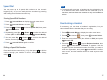
Registering a New Handset
To share your phone line with other people, you can register up
to 5 handsets to your base. To do this, assign a new number to
each handset that you register. The supplied handset is already
registered with the number 1, appearing as . For security
reasons, the registration procedure can only be performed by
people who are close to your base and know the
PIN.
1
REGISTER
Please note that this PIN cannot be modified.
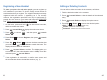
On the base, press and hold for about three seconds,
and then release the button.
Press to display the main menu items.
Press to choose , and then press
.
Press to choose , then press
.
Press or to choose the base number that
you want. Press to search the base. The
display shows a series of characters.
Press to confirm. The display asks you
to enter the AC (the authentication code is ). Enter this
code and press .
If the registration is successful, a confirm tone occurs and
the new handset shows the handset number (e.g. ).
Menu
Select
Down Register
Select
Up Down
Select
Select
1590
Select
1
beneath
beneath
beneath
beneath
beneath
beneath
1
2
3
4
5
6
7
45
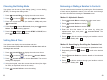
Editing or Deleting Contacts
You can edit or delete a number in the contacts, as follows:
Find the desired number in the contacts.
Press to view the details of the selected
entry.
Press to display the option menus.
Press or to choose the desired option:
-
-
-
Select
Select
Up Down
Edit
Delete
Delete all
allows you to edit the selected entry.
deletes the selected entry.
deletes all of the contact entries.
beneath
beneath
1
2
3
4
Handset